
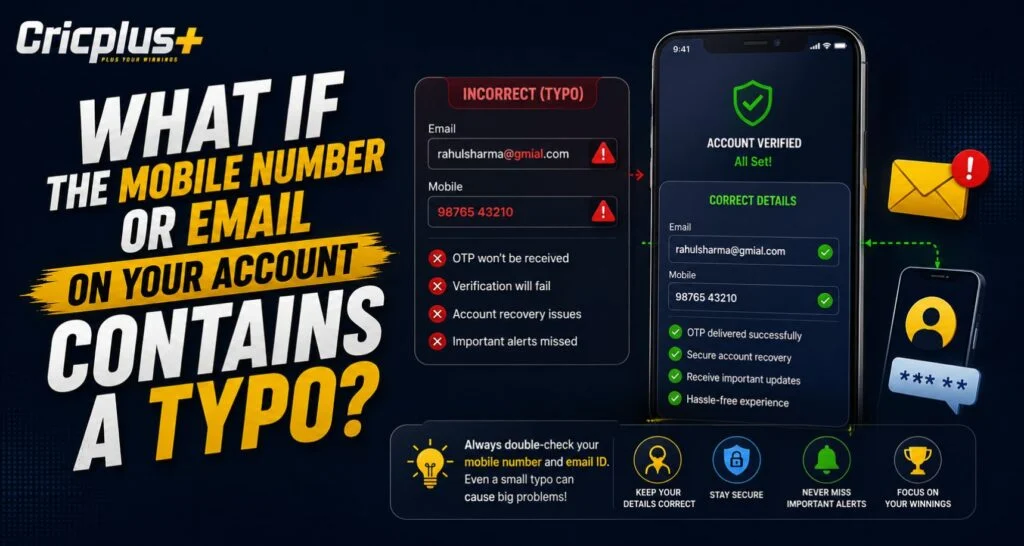
Entering the wrong mobile number or email address during registration can create problems later, especially when an account needs verification, password recovery, or security confirmation. On Cricplus, users should always review their registered contact details carefully because even a single incorrect digit or letter may prevent important messages from reaching the correct destination. Fortunately, identifying the issue early can make the correction process much easier.
This article explains what can happen when contact details contain a typo, how to recognize the problem, and what steps users should consider before attempting any account changes.
Why Accurate Contact Details Matter
A registered mobile number or email address is often connected to several important account functions. It may be used to confirm identity, receive security notifications, or help recover account access.
Incorrect information can therefore affect:
- One-time verification codes
- Password reset messages
- Account security alerts
- Identity confirmation
- Support communication
- Important account notifications
For example, someone attempting a Cricplus Login may request a verification code but never receive it because the registered mobile number contains one incorrect digit.
How Can a Typo Happen?
Contact information mistakes are surprisingly easy to make, particularly when registration is completed quickly on a mobile device.
Common examples include:
- Entering 9876543210 instead of 9876543120
- Missing one digit from a phone number
- Using the wrong country code
- Writing “gmial.com” instead of “gmail.com”
- Leaving out a letter in an email username
- Accidentally using an old email address
Users accessing the Cricplus App should review every field before confirming registration or profile changes.
What Problems Can an Incorrect Mobile Number Cause?
A wrong phone number may become noticeable when the account requires SMS verification.
If the number belongs to someone else, verification messages could potentially be delivered to that number instead of yours. That makes it important not to repeatedly request codes if you already know the registered number is incorrect.
A typo may also prevent:
- Receiving OTPs
- Resetting a forgotten password
- Confirming sensitive account changes
- Receiving login alerts
If the account is still accessible, checking the profile or account settings can help identify whether the displayed number is correct.
What Happens If the Registered Email Is Wrong?
An incorrect email can create similar issues.
Suppose a Cricplus Live user enters an email with one wrong character. Password-reset emails or account notices may never arrive. Depending on the typo, messages could either fail completely or potentially be delivered to another valid address.
Users should avoid repeatedly sending reset links until they have confirmed that the registered email is accurate.
What Should You Do After Finding a Typo?
The safest approach depends on whether you can still access the account.
If You Can Still Access Your Account
Start by checking whether your profile settings allow contact details to be updated.
A sensible process is:
- Open your account settings.
- Check the registered mobile number and email.
- Look for an available edit or verification option.
- Enter the correct information carefully.
- Complete any required verification process.
- Confirm that the updated details are displayed correctly.
A Cricplus Pro user should never share passwords or verification codes with another person while making these changes.
If You Cannot Access the Account
If incorrect contact details prevent access, the next step is usually to contact the platform’s official support channel.
Be prepared to provide information that helps establish account ownership. Depending on the platform’s procedures, support may ask for details such as:
- Registered username or account ID
- Approximate registration information
- Correct mobile number or email
- Basic account verification information
Only provide information through official support channels.
Avoid Creating Multiple Accounts Immediately
A common reaction is to create a new account when the original one contains incorrect information. However, this can make account management more confusing and may conflict with platform rules regarding duplicate accounts.
Instead, Cricplus users should first attempt to correct the existing information or contact support for assistance.
Keeping one properly verified account is generally easier than managing multiple registrations created because of a simple typing mistake.
Security Precautions When Correcting Contact Details
Contact-detail changes involve account security, so users should be careful about where and how they make them.
Keep these precautions in mind:
- Never send your password through chat or email.
- Never share an OTP with someone claiming to be support.
- Use only official website or app support options.
- Double-check URLs before entering account information.
- Avoid making sensitive changes over unsecured public Wi-Fi.
- Review the corrected information before submitting it.
After completing a Cricplus Login, users should also check whether any unfamiliar profile or security changes appear in their account.
How to Prevent Contact Detail Errors
Prevention is easier than correcting a registration mistake later.
Before submitting a form:
- Read the mobile number twice.
- Check the country code.
- Confirm the spelling of the email domain.
- Avoid autofill if it inserts outdated information.
- Make sure you can access the email or number provided.
Users of the Cricplus App can also keep their profile details current if they permanently change their mobile number or email address.
Final Thoughts
A typo in a registered mobile number or email may appear minor, but it can affect verification, password recovery, security notifications, and account access.
The best response is to identify the mistake early, check whether the account settings provide an update option, and use official support if direct changes are unavailable. Cricplus Live users should also avoid sharing passwords or OTPs while resolving the issue.
Accurate contact information keeps account recovery and security processes much simpler in the future.
FAQs
What should I do if my registered mobile number is wrong?
Check your account settings for an option to update the number. If you cannot change it yourself, contact official support.
Can a wrong email stop password recovery?
Yes. Password-reset messages may not reach you if the registered email contains a typo.
Should I create another account if my contact details are incorrect?
It is generally better to try correcting the existing account first rather than immediately creating another registration.
Is it safe to give an OTP to customer support?
No. Verification codes and passwords should remain private and should not be shared with anyone.
How can I prevent mistakes when registering?
Double-check your mobile number, country code, email username, and email domain before submitting the registration form.