
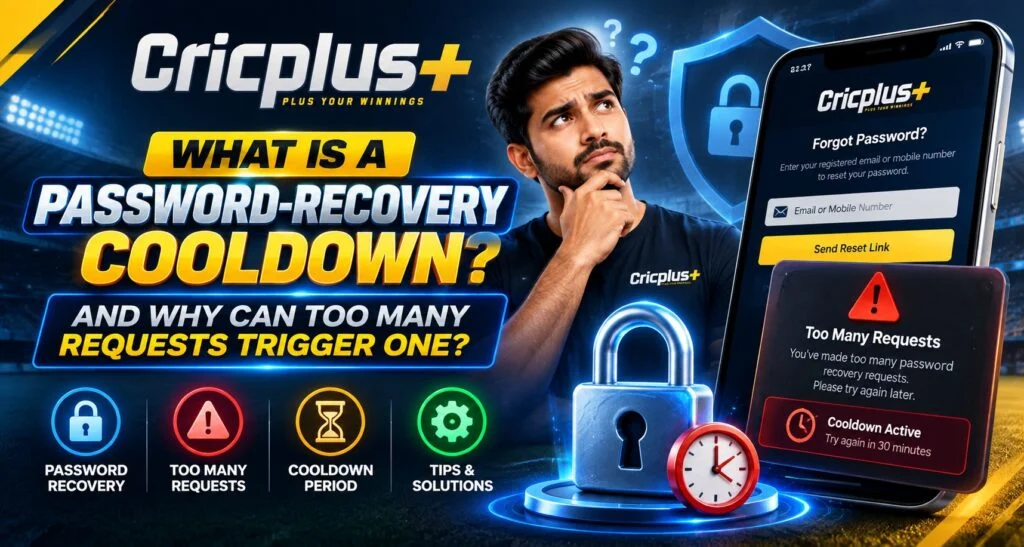
Forgetting a password can be frustrating, especially when you need to access an account quickly. On Cricplus, users may encounter a temporary password-recovery cooldown after requesting reset links or verification codes several times within a short period. This type of restriction is generally designed to protect account-recovery systems from automated abuse, excessive requests, and attempts to misuse the reset process.
A cooldown does not necessarily mean that an account has been permanently blocked. It can simply mean that the recovery system is temporarily limiting additional requests before allowing the process to continue.
What Is a Password-Recovery Cooldown?
A password-recovery cooldown is a temporary waiting period applied after too many password-reset or recovery requests have been made.
Instead of processing every request immediately, a system may temporarily restrict new attempts.
A cooldown can help:
- Reduce repeated reset requests
- Limit automated activity
- Prevent message flooding
- Protect account-recovery systems
- Give legitimate recovery requests time to arrive
Security guidance recommends rate-limiting password-reset requests because excessive requests can be abused to flood a user’s email or SMS inbox.
Why Do Too Many Requests Trigger a Cooldown?
Password recovery is a sensitive account function. If someone could request unlimited reset messages, attackers could repeatedly target accounts or overwhelm recovery channels.
For example, a user might click “Forgot Password” several times because the first email or message has not arrived. The system may interpret these repeated requests as excessive activity and temporarily slow or restrict additional requests.
This is commonly called rate limiting or throttling.
What Happens During a Cooldown?
The exact behavior depends on how the platform’s recovery system is designed.
During a cooldown, users may experience:
- A message saying to try again later
- Delayed reset emails or codes
- Temporary restrictions on new requests
- A requirement to wait before requesting another link
- Additional verification steps
The restriction is generally temporary rather than a permanent account closure.
Why Repeatedly Clicking Reset Can Make Things Worse
One common mistake is repeatedly requesting another reset message when the first one has not arrived.
For example:
- A user requests a password-reset link.
- Nothing arrives immediately.
- The user requests another link.
- Several more requests are submitted.
- The system detects excessive activity.
- A temporary cooldown is applied.
Repeated requests can therefore create more delay instead of solving the original problem.
What Should You Do If a Cooldown Appears?
The simplest approach is to stop submitting new recovery requests for a while.
Instead:
- Wait for the displayed cooldown period.
- Check your registered email or phone.
- Look in spam or junk folders.
- Confirm that your contact details are correct.
- Avoid repeatedly refreshing the recovery page.
- Use the latest valid reset link when it arrives.
If a platform provides a specific waiting period, follow that instruction rather than repeatedly attempting another request.
Why Reset Links May Not Arrive Immediately
A missing password-reset message does not always mean the recovery system failed.
Possible reasons include:
- Email delivery delays
- Incorrect registered address
- Spam filtering
- Network problems
- Temporary service delays
- Too many previous requests
Users should check all relevant folders and messages before submitting another request.
Why Only One Reset Link May Be Useful
Password-reset systems often use temporary, single-use tokens. Security guidance recommends that reset tokens be random, expire after an appropriate period, and become invalid after they are used.
This means that requesting several new links can make earlier links unusable in some systems.
If multiple reset messages arrive, users should normally use the newest valid message according to the platform’s instructions rather than trying every link.
How a Cooldown Protects Accounts
A cooldown can provide an additional barrier against automated abuse.
Without request limits, someone could potentially generate large numbers of recovery requests for a particular account. Rate limiting reduces the ability to repeatedly trigger sensitive account functions. OWASP specifically recommends protections against excessive automated password-reset submissions.
The goal is to balance account security with legitimate user access.
Password Recovery and Account Security
A password-reset process should be treated as an important security function.
Users should never share:
- Passwords
- OTPs
- Recovery codes
- Reset links
- Banking PINs
If someone contacts you claiming to be support and asks for these details, verify the support channel independently.
After successfully completing a Cricplus Login, users should also consider using a strong, unique password and keeping recovery information secure.
When Should You Contact Support?
Support may be appropriate if the cooldown continues beyond the stated period or if the normal recovery process does not work.
Before contacting support, collect non-sensitive information such as:
- Account ID or username
- Approximate time of the recovery attempt
- Error message
- Device type
- Browser or application used
- Description of the problem
Do not send your current password or verification code.
Password Recovery Through Mobile Apps
Users accessing an account through the Cricplus App may encounter similar recovery protections.
Mobile users should:
- Use the official recovery option within the application.
- Avoid repeatedly submitting requests.
- Keep the application updated.
- Check notification permissions.
- Verify that the registered contact method is accessible.
The recovery process may look different on mobile, but the underlying security principle remains similar.
Cooldown Does Not Mean Your Account Is Permanently Blocked
A temporary recovery restriction should not automatically be interpreted as an account suspension.
A cooldown is generally associated with a specific action, such as requesting another reset.
This distinction is important because users may become worried and continue submitting requests, which can prolong the problem.
What If You Forgot the Password and Cannot Wait?
If the recovery system displays a waiting period, users should follow the available official recovery procedure rather than attempting to bypass the restriction.
Depending on the service, alternatives may include:
- Waiting for the cooldown to expire
- Using an existing recovery method
- Confirming account information
- Contacting verified support
The safest approach is to use the available recovery options rather than experimenting with repeated requests.
Understanding the Role of Rate Limiting
Rate limiting is a standard security technique used to restrict how frequently sensitive actions can be performed. NIST guidance also describes throttling as a protection against excessive authentication attempts and notes that waiting periods can be used as part of such controls.
A password-recovery cooldown is therefore best understood as a security control rather than simply a technical inconvenience.
Final Thoughts
A password-recovery cooldown can appear when too many reset requests are submitted within a short period. Its purpose is to limit excessive activity and help protect sensitive account-recovery functions.
If a cooldown appears, users should stop making repeated requests, check their registered recovery channel, wait for the specified period, and use the latest valid recovery instructions. Understanding how these restrictions work can prevent unnecessary delays and make the recovery process easier to manage.
FAQs
What is a password-recovery cooldown?
It is a temporary restriction that limits additional password-reset requests after excessive recovery activity is detected.
Why do multiple reset requests trigger a cooldown?
Repeated requests can resemble automated or abusive activity, so systems may temporarily limit further requests.
Should I keep requesting a reset link if it has not arrived?
No. Repeated requests can trigger or extend temporary restrictions. Check your email or phone first and follow the displayed instructions.
Can a cooldown permanently lock my account?
A cooldown is generally a temporary restriction on the recovery process, not necessarily a permanent account closure.
What should I do if the reset link does not arrive?
Check your spam or junk folder, confirm your registered contact details, wait for possible delivery delays, and avoid repeatedly submitting new requests.
Can I share my password-reset code with support?
No. Passwords, OTPs, and recovery codes should remain confidential.
When should I contact support?
Contact verified support if the stated cooldown period has passed or the standard recovery process continues to fail.