
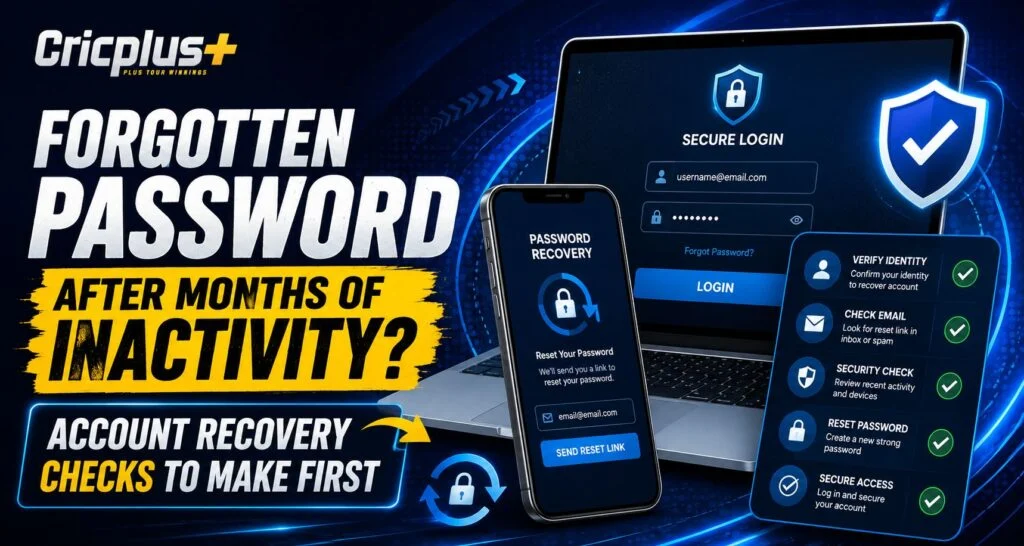
Returning to an online account after several months can sometimes create a simple problem: you no longer remember the password or even which credentials you originally used. For Cricplus users, the safest approach is to check a few basic account details before repeatedly guessing passwords or requesting multiple reset links. The platform currently directs users who forget their password to the recovery option on the login page or official support when additional account-recovery guidance is required.
Why Long Inactivity Can Make Login More Difficult
The passage of time does not necessarily mean that an account has been deleted or disabled. More commonly, users forget passwords, change mobile numbers, stop using an old email address or lose track of saved login information.
Before starting Cricplus Login recovery, first identify what may have changed since your last successful sign-in.
Check:
- Which email address you originally registered
- Whether your mobile number has changed
- Whether a password manager saved the password
- Whether your browser still has saved credentials
- Whether you previously changed the password
These checks can prevent unnecessary recovery attempts.
1. Make Sure You Are Using the Correct Login Page
Start from the recognised website rather than an old message, advertisement or unfamiliar link.
Cricplus currently advises users to use the forgot-password option available through its login process and to contact official support if normal recovery does not work.
For Cricplus App users, verifying the service before entering recovery information is especially important after a long period of inactivity because old bookmarks or links may no longer be useful.
2. Check Your Registered Email or Phone Number
The current recovery guidance says users can enter their registered email address or phone number and follow the verification instructions provided.
Before requesting a reset, confirm that you still have access to that recovery method.
A Cricplus Live user should check:
- Is the email account still active?
- Can you receive new messages?
- Is the registered phone number still yours?
- Are SMS messages reaching the device?
- Have spam filters blocked recovery emails?
If you no longer control the registered contact details, official support may be required.
3. Look for a Password Manager or Saved Browser Password
Before resetting anything, check whether your password was stored securely on the device you previously used.
Modern browsers and password managers can remember credentials for long periods. If you find a saved password, confirm that the website address matches the recognised service before using it.
For a Cricplus Pro account, this can save time and avoid an unnecessary password change.
Do not copy stored passwords into unknown websites or share them with anyone offering account-recovery assistance.
4. Avoid Repeated Password Guessing
Trying every password you remember can become counterproductive.
Repeated unsuccessful login attempts may trigger protective controls on well-designed authentication systems. OWASP recommends mechanisms that reduce automated or excessive authentication attempts.
Instead of repeatedly guessing through Cricplus login, make a small number of careful checks and use the official recovery function when you are reasonably certain the password has been forgotten.
5. Request Only One Reset at a Time
If recovery is necessary, request a new password reset and wait for the verification message.
OWASP recommends password-reset tokens that are securely generated, single-use and valid only for an appropriate period. It also recommends protections against excessive automated reset requests.
Therefore:
- Request one recovery message
- Check spam and junk folders
- Allow reasonable delivery time
- Use the newest link or code
- Avoid repeatedly generating new requests
This reduces confusion over which reset message is valid.
6. Create a New, Unique Password
After successful verification, create a password that you do not use on other websites.
Password reuse creates unnecessary risk because credentials exposed through one service can potentially be tested against another. A password manager can make unique passwords easier to maintain.
For Cricplus App users returning after months away, this is also a good opportunity to update old password habits rather than simply reusing a familiar credential.
7. Review the Account After Signing In
Regaining access should not be the final security step, particularly if you have not used the account for a long time.
OWASP recommends re-authentication and additional care following sensitive events such as password resets, account recovery or suspicious activity.
After accessing Cricplus Live again, consider reviewing:
- Registered email and mobile number
- Profile information
- Recent account activity
- Active sessions or devices, if available
- Security and verification settings
Report anything you do not recognise through authorised support.
8. Contact Official Support When Details No Longer Match
If your old phone number has been disconnected, your email is inaccessible or verification continues to fail, avoid looking for unofficial shortcuts.
Cricplus currently recommends contacting official support when account recovery cannot be completed normally.
A Cricplus Pro user should never provide passwords or verification codes to unknown people claiming they can bypass recovery checks.
Conclusion
Forgetting a password after months of inactivity is usually manageable if recovery is approached carefully. Start by confirming the correct website, registered contact information and any saved credentials before requesting a reset.
If a reset is necessary, use the official Cricplus recovery process, complete verification and create a unique replacement password. The goal is not simply to regain access quickly, but to make sure the person recovering the account is genuinely its owner.
FAQs
What should I check first if I forgot my password after months away?
Confirm the official login page, registered email or phone number and any passwords saved in your browser or password manager.
How does Cricplus password recovery work?
The current guidance says users can select the forgot-password option, enter their registered email or phone number, complete verification and set a new password.
Should I keep guessing old passwords?
No. If a few careful attempts fail, use the official recovery process rather than repeatedly guessing credentials.
Can password-reset links expire?
Yes. Secure reset tokens should generally be time-limited and single-use, so older recovery links may no longer work.
What if I no longer have my registered phone or email?
Use authorised account support and follow the available identity-verification process. Do not share passwords, OTPs or reset links with unofficial third parties.