
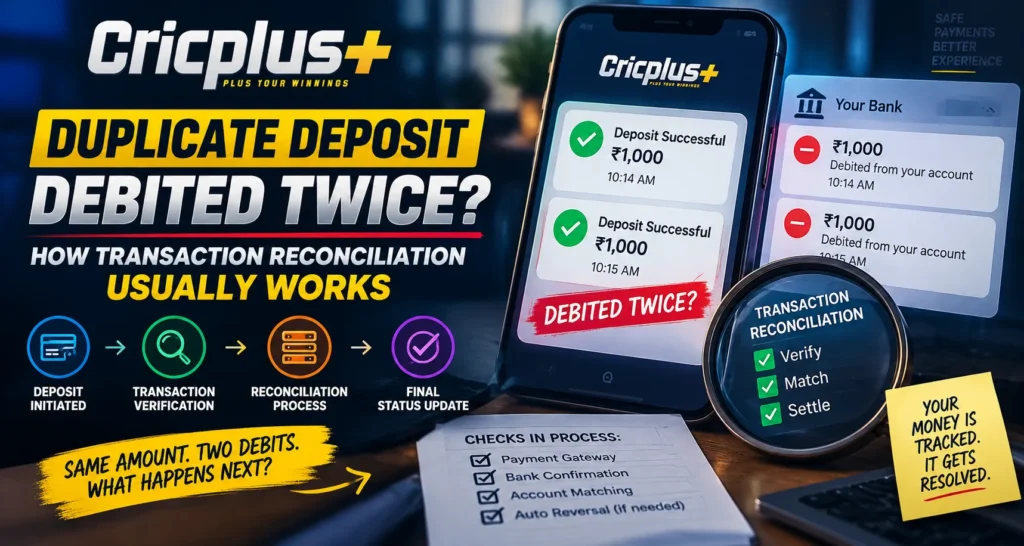
Digital payments are designed to process quickly, but occasional transaction issues can create confusion. One common situation is when a user notices that the same deposit amount appears to have been debited twice from a bank account. On Cricplus, users managing payment activity may need to understand how transaction reconciliation works and why payment records sometimes require additional review before a final resolution.
A duplicate debit does not always mean that two successful deposits were completed. In many cases, one transaction may be pending, duplicated temporarily, or waiting for confirmation between different payment systems.
What Is a Duplicate Deposit Issue?
A duplicate deposit issue occurs when a user believes the same payment has been processed more than once.
This situation may appear when:
- Two similar transaction entries are visible
- The bank shows multiple deductions
- A payment confirmation appears delayed
- The platform balance does not match the bank statement
- A transaction is repeated accidentally
After completing a Cricplus Login, users may review their transaction history to compare payment records and identify whether the issue involves one or multiple completed transactions.
What Is Transaction Reconciliation?
Transaction reconciliation is the process of comparing payment records from different systems to confirm what actually happened.
A payment transaction may involve several parties, including:
- User’s bank
- Payment provider
- Transaction processing system
- Platform payment records
During reconciliation, these records are compared to determine:
- Whether a payment was successful
- Whether a duplicate transaction exists
- Whether a transaction is still pending
- Whether a reversal is required
- Whether the account balance is accurate
This process helps identify differences between displayed records and actual payment movement.
Why Can a Deposit Appear to Be Debited Twice?
Several situations can create the appearance of a duplicate debit.
Multiple Payment Attempts
A user may accidentally submit the same payment more than once due to:
- Slow confirmation
- Network problems
- Repeated clicks
- Delayed payment responses
The bank may record multiple attempts even if only one transaction completes successfully.
Delayed Status Updates
Sometimes different systems update at different speeds.
For example:
- Bank shows payment completed
- Payment provider is still processing
- Platform has not received final confirmation
This timing difference can temporarily create confusion.
Banking or Gateway Synchronization Issues
Payment systems communicate through multiple networks. Temporary synchronization delays may cause transaction details to appear inconsistent.
Users accessing the Cricplus App should wait for updated confirmation before assuming that multiple successful deposits have occurred.
How Reconciliation Teams Review Duplicate Transactions
When a duplicate payment concern is reported, the review process usually involves checking transaction records.
The review may include:
- Transaction timestamps
- Payment reference numbers
- Bank confirmation details
- Processing status
- Account activity history
- Settlement information
The purpose is to determine whether the same payment was completed once or multiple times.
Common Outcomes After Transaction Review
After reconciliation is completed, different outcomes are possible.
Only One Deposit Was Successful
In some cases, one transaction is completed while another attempt failed or remained incomplete.
One Transaction Is Reversed
A second payment may be cancelled and returned through the original payment method.
Two Deposits Were Successfully Processed
If two separate successful transactions are confirmed, the records can be reviewed according to applicable procedures.
Transaction Is Still Pending
Some payments require additional processing time before a final status is available.
What Information Helps With Faster Resolution?
When reporting a possible duplicate deposit, users should provide accurate transaction details.
Useful information may include:
- Deposit amount
- Date and time of payment
- Payment method used
- Transaction reference number
- Bank statement details
- Screenshots showing payment status
Clear information helps the review team locate the correct transaction faster.
What Users Should Avoid During Duplicate Payment Issues
Users should avoid taking actions that may complicate reconciliation.
Avoid:
- Making repeated deposits immediately
- Sending multiple duplicate reports
- Sharing sensitive banking credentials
- Ignoring transaction notifications
- Assuming both debits are final
Users should never share:
- UPI PIN
- OTP codes
- Banking passwords
- Card security details
Payment verification should always protect confidential information.
How to Prevent Duplicate Deposit Problems
Users can reduce payment confusion by following simple practices.
Helpful steps include:
- Wait for confirmation after payment
- Avoid pressing payment buttons repeatedly
- Check transaction status before retrying
- Maintain stable internet connectivity
- Save payment reference details
- Use updated payment applications
These habits help reduce accidental duplicate attempts.
Role of Payment Records in Digital Transactions
Accurate payment records are important because they allow different systems to match transaction information.
For users following Cricplus Live features or payment activity, transaction history provides a useful reference when checking whether a payment was completed correctly.
Reliable record management helps ensure that payment issues can be reviewed fairly.
Why Reconciliation Takes Time
Transaction reviews may not always be instant because multiple systems need to confirm the same information.
Factors that can affect processing time include:
- Bank response speed
- Payment gateway confirmation
- Transaction complexity
- Weekend or holiday processing
- Additional verification requirements
A careful review helps avoid incorrect adjustments.
How Transaction Accuracy Builds User Confidence
Clear payment tracking and proper reconciliation processes help create a better digital payment experience.
When users understand how duplicate transactions are reviewed, they can avoid unnecessary concerns and provide better information during Support requests.
Whether managing payments through Cricplus Pro or another digital service, accurate transaction handling remains an important part of secure online activity.
Conclusion
A duplicate deposit appearing twice does not always mean that two successful payments have been completed. Transaction reconciliation helps compare records from banks, payment providers, and platform systems to identify the correct payment status.
By keeping transaction details, avoiding repeated attempts, and providing accurate information during reviews, users can help resolve duplicate debit concerns more efficiently. Proper reconciliation ensures that payment records remain accurate and transparent.
FAQs
What should I do if my deposit is debited twice?
Check your transaction history, keep payment references available, and report the issue with complete transaction details if needed.
Does a duplicate debit always mean two deposits were completed?
No. One transaction may be pending, failed, or reversed while only one payment is successfully completed.
Why does transaction reconciliation take time?
Multiple systems must compare records, including banks, payment providers, and platform transaction data.
What information is needed for a duplicate payment review?
Details such as amount, transaction time, payment method, and reference number can help identify the transaction.
Should I make another deposit if my payment status is unclear?
It is better to wait for confirmation first to avoid creating additional duplicate transactions.
Can I share my OTP or UPI PIN during payment verification?
No. OTPs, UPI PINs, and banking passwords should always remain private.